
VayaNVR / Security & Biometrics
See the whole picture.
Act on what matters.
Bring your camera feeds, AI-assisted alerts and incident evidence into one workspace. Give your operators the context to see what matters and act with confidence.
Video intelligence. Human judgement.
The operator’s workspace
ILLUSTRATIVE PREVIEW · NO LIVE FEEDS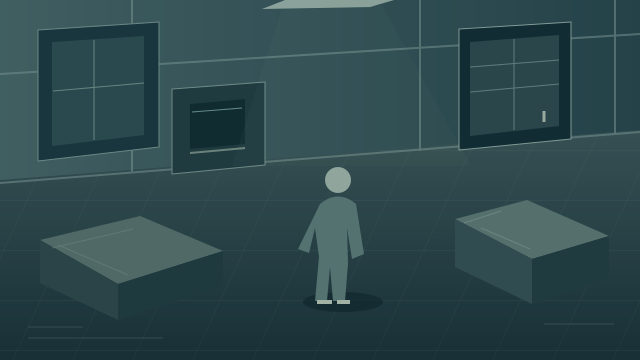
EntranceDEMO VIEW 01
Person · illustrative
Example camera view
Cash officeDEMO VIEW 02
Review area
Configured area
Loading areaDEMO VIEW 03
Example camera view
PerimeterDEMO VIEW 04
Example camera view
Illustrative interface and event dataAll activity shown is simulated
A CONNECTED VIEW
From watching cameras
to understanding events.
Security teams need more than a wall of video. VayaNVR connects live viewing, recordings and AI-assisted event review so operators can move from an alert to the footage behind it.
Start with a pilot sized for your site. Configure your views, define the areas that matter and validate the workflow with the people who will use it every day.
CAPABILITIES
Your daily security workflow. Connected.
Recording playback and authorised downloads for incident review and evidence handling.
Person and vehicle detection, configurable perimeter areas and on-screen highlights.
Shared incident timelines that bring related camera events together for operator review.
Cash-office review for visible cash and possible deposit activity in configured areas.
Role-based access, audit records and configurable retention for accountable operations.
Built around the operator.
- One workspace for live operations and investigations
- Camera-by-camera control over AI assistance
- Evidence and context alongside the alert
WHERE IT WORKS
Focused on the places that matter.
Control rooms
Keep camera views, event context and playback within reach. Arrange a browser video wall around the way your team monitors the site.
Cash offices
Review visible cash and possible deposit activity alongside recorded footage. AI flags candidates for a person to check; it does not verify cash amounts or completed deposits.
Entrances & perimeters
Define areas of interest and review person or vehicle events. Link relevant footage across cameras while keeping identity and incident decisions with your operators.
- 01
Scope your site
Review camera compatibility, coverage, network capacity, recording needs and operator roles.
- 02
Configure cameras
Set up your selected cameras, viewing layouts, retention, AI areas and incident workflows to suit your site.
- 03
Prove the workflow
Run live walk-throughs, review false alerts and test playback, downloads and recovery against agreed acceptance criteria.
BEFORE YOU BEGIN
Your questions.
Clear answers.
Can I use my existing cameras?
VayaNVR works with supported IP-camera streams. We check each camera model, firmware, stream format and network setup before confirming compatibility.
What can the cash AI tell me?
It can flag visible cash and possible deposit activity for review. It samples footage; it is not a transaction ledger, banknote counter or confirmation that money entered a safe. Speed and accuracy depend on camera placement, lighting and processing capacity.
Does AI automatically identify a person across cameras?
Related events can be grouped into a shared timeline. Suggested associations and person-of-interest alerts require operator review. Biometric visitor features require a separately configured, authorised workflow and appropriate privacy controls.
How are privacy and access managed?
The platform supports operator roles, audit records and retention settings. Your deployment must define its lawful purpose, notices, access permissions and retention policy. Biometric functions require additional assessment before activation.
What about gates, hardware video walls and other sites?
These integrations are scoped separately. Controller compatibility, vendor SDKs or licences, media gateways and physical-device testing may be required. We confirm the supported configuration before including it in your proposal.
How many cameras can I connect?
Camera capacity is sized for your installation, including server resources, stream quality, recording retention, AI workloads and simultaneous operators. We validate the proposed configuration against your requirements. Pricing and support are quoted for your chosen scope.
LET’S TALK VAYANVR
Let’s build your security workspace.
Tell us about your cameras, the areas you protect and the way your team works. We’ll help you scope a practical demonstration and pilot.
+27 10 502 5320